1
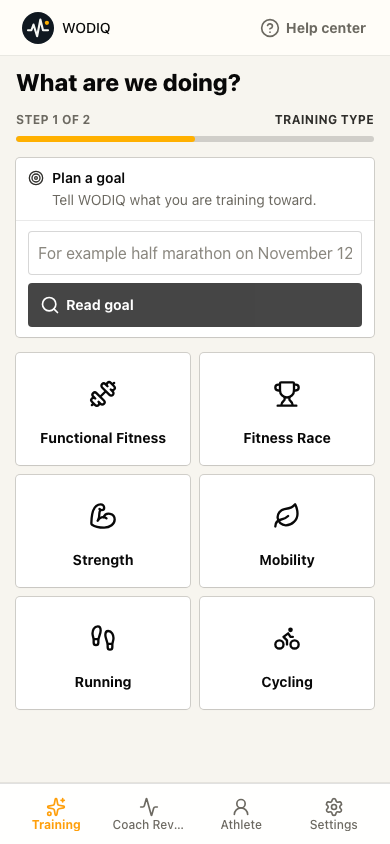
Choose the training type
Start with running, cycling, strength, functional fitness, mobility, or a goal you are working toward.
How it works
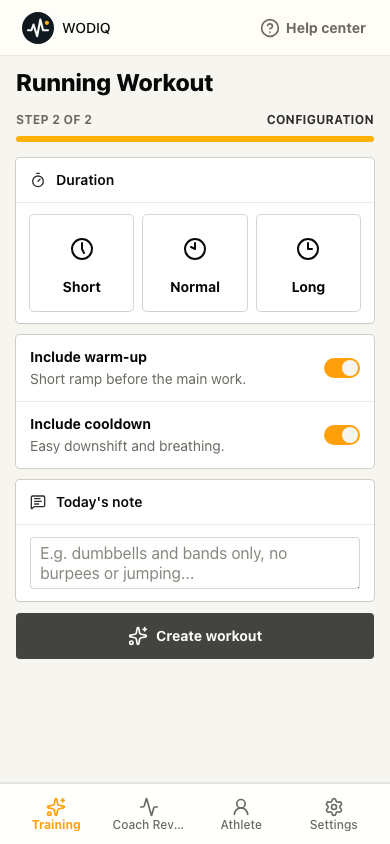
Choose what you want to do, add what today allows, and review a workout before you start.
Step by step
You do not need to browse plans, videos, or workout lists. The flow ends with one suggestion.
Start with running, cycling, strength, functional fitness, mobility, or a goal you are working toward.
Set time, intensity, equipment, and a short note when your body or schedule asks for it.
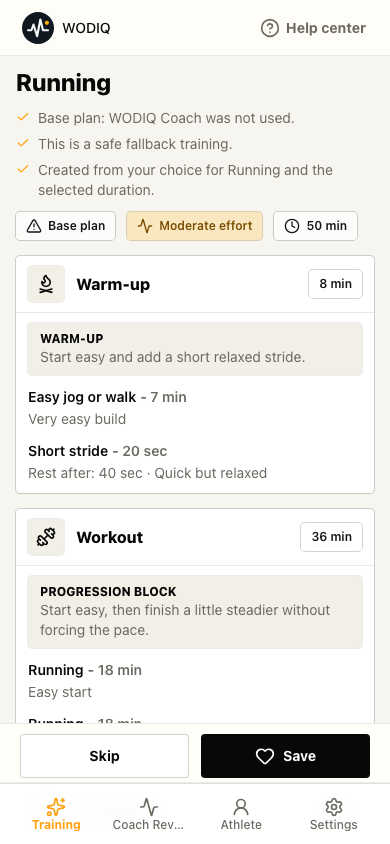
Review warm-up, main work, cooldown, effort cues, and why the workout makes sense today.
Product proof
WODIQ gives you a workout you can read and start without opening another tool.
A session includes blocks, duration, and cues.
You can train without Garmin. Apple Health is used only as a read-only import in the native iPhone app after permission.
WODIQ provides practical training guidance, not medical advice or guaranteed results.
FAQ
No. WODIQ can create a single session for today.
Yes. You can add equipment, duration, focus, and a short note.
No. WODIQ helps with training structure, not medical advice or guaranteed outcomes.
Start free during the pilot. This site has no paid checkout today.